Data Annotations Tool Window
Data Annotations tool window displays all data annotations for the current document.
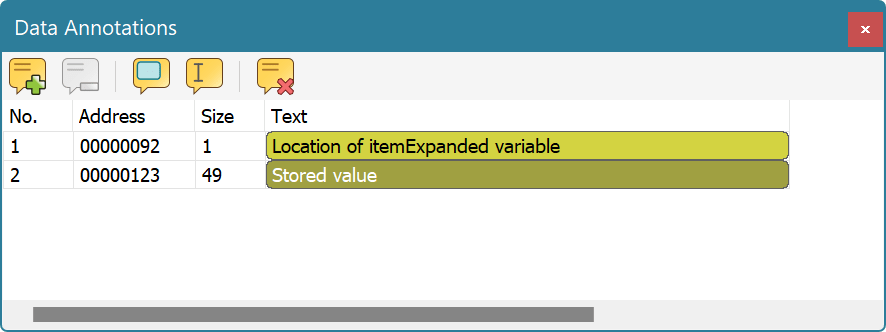
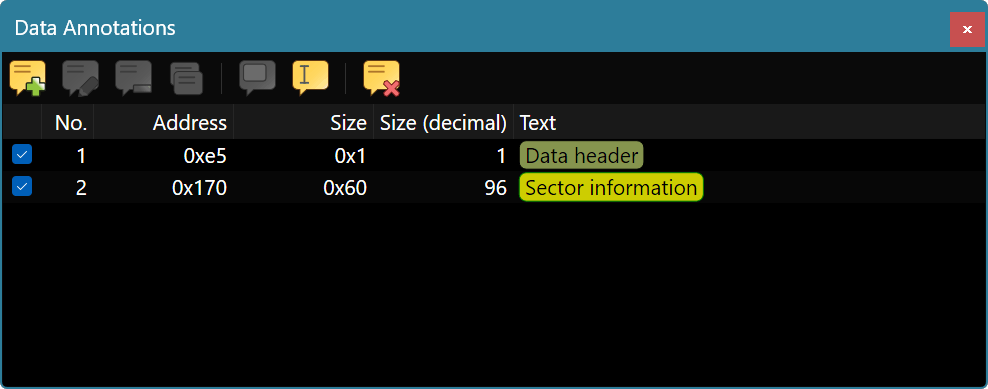
For each annotation, its address, size and text comments are displayed. Text comments are colored according to configured coloring scheme.
You can select the annotation and delete it using the Annotations » Remove Annotation or Edit » Clear command or use the Annotations » Clear Annotations command to remove all annotations.
Annotations may be moved around using mouse or keyboard. You can also duplicate the selected annotations using the Annotations » Duplicate Annotation command or holding the Ctrl key while dragging a selected annotation. When you duplicate a single annotation, a Edit Annotation window appears immediately. When you duplicate multiple annotations, copies of each of them are created.
To move an annotation using keyboard, hold the Alt key while pressing the Up or Down keys. To search for a specific annotation in a long list of annotations, quickly start typing its text (like when you are searching for files in Windows Explorer folder).
Use Edit » Copy, Edit » Cut and Edit » Paste commands to copy or move annotations around using Clipboard. You can even do it between different documents or even between different copies of Hex Editor Neo.